Accounting made simple for your business
Issue invoices and other revenue documents, extract expense data automatically with high accuracy, and work with your accountant in one shared space.
No credit card required. The free plan has no time limit.
Invoice issuance
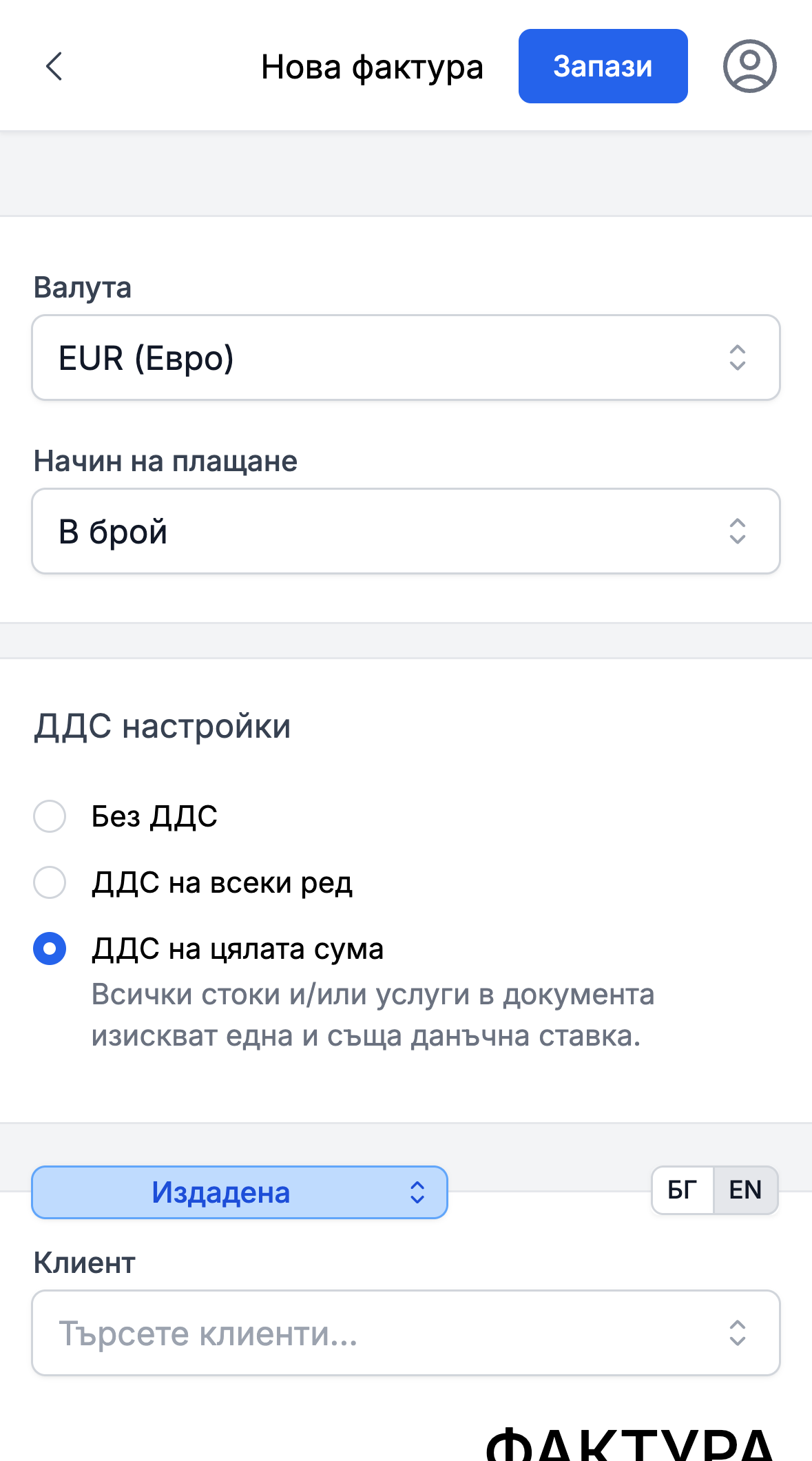
Create invoices, proformas, credit and debit notes in Bulgarian or English and in different currencies. Export them to PDF with your logo and send them directly via email.
AI for expense document recognition
Automated recognition of data from PDFs and images - vendor, amounts, dates and VAT - filling out forms in seconds. Upload hundreds of documents at once and processing continues in the background.
Comprehensive management
Manage revenues, expenses, contacts, items, and files all in one place, linked together. Everything needed to track your business's financial health.
Real-time financial analysis
Get detailed reports and graphs for income, expenses, and assets. Make informed decisions with up-to-date data at any time.
Team roles and permissions
Create custom roles with controlled permissions for your team. Invite your accountant or colleagues and collaborate securely on the platform.
Multiple companies, one account
Switch between your companies quickly and easily - each with its own documents, team and settings. If you are an accountant, every client can invite you with its own role and permissions.
Accounting firm
Group your team and your client companies in one firm. You request access by UIC, the client approves and chooses the role, and everyone on the team opens the clients they are responsible for from one login.
Who eFirma is for
Small or mid-sized business owner
Issue invoices, enter expenses from a photo, and track your revenues, expenses and profit in real time.
Freelancer or self-employed
The free plan fully covers invoicing - unlimited invoices with your logo, in Bulgarian and English, suitable for international clients too.
Accountant or accounting firm
Every client can invite you with your own role and permissions, and with a team and more clients you group them in an accounting firm with one login. You have direct access to their documents at any time, without requesting them by email.
A shared workspace for you and your accountant
Exchange documents more easily, work faster and give your accountant direct access to everything they need in one shared workspace.

Data security
Full protection for your data! All issued, entered and uploaded documents are encrypted with AES-256 and stored in the EU (Frankfurt), with role-based access control.
Learn more
Streamlined communication
Optimize your teamwork! By providing fast and easy information exchange between you and your accountant, we save you time and potential errors. There is a choice between different roles and rights.

Timely analysis
Make informed decisions with ease! Every change in revenues and expenses is reflected immediately, providing a real-time picture of the financial status of your business.
Accounting firm
An accounting firm groups your team and the client companies you serve. Everyone on the team reaches their clients from one login and works in them with the usual eFirma screens.
Every client from one login
Create your firm from the companies page and add your clients - companies already on eFirma, or new ones you create for a client. For each company the list shows the scanned documents awaiting review, the revenues and expenses this month and the last activity, and each number opens the matching list inside the client.
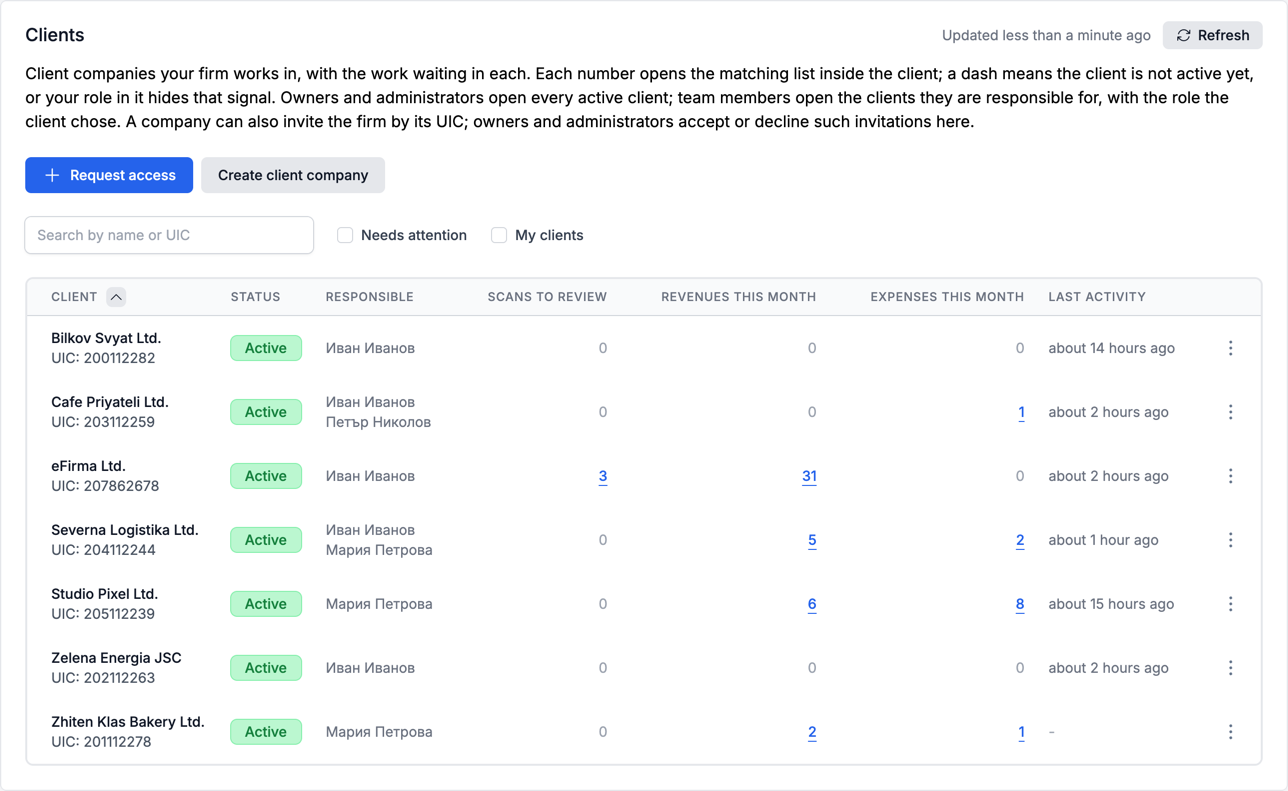
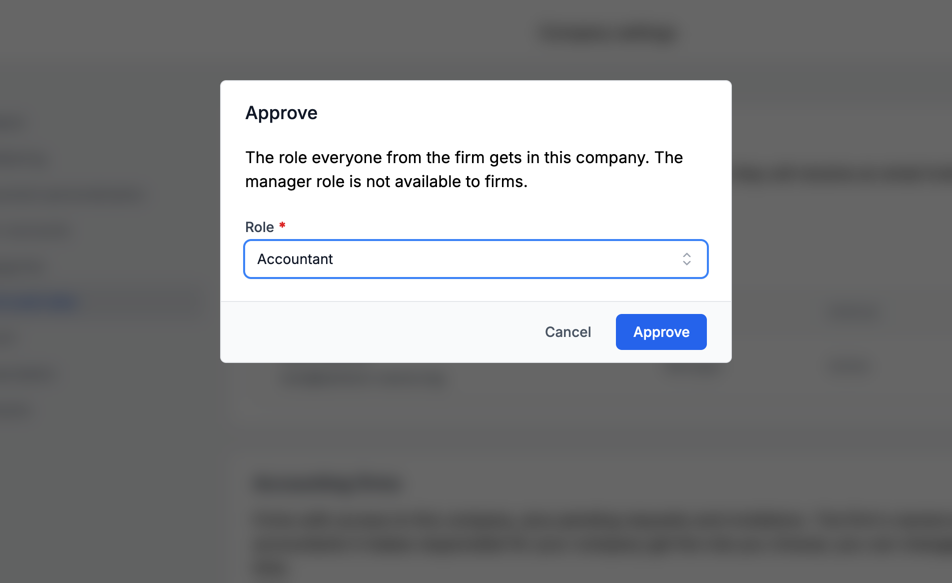
Access approved by the client
Request access with the client's UIC - its manager gets an email, approves the request and chooses the role the firm works with. A client can also invite the firm by its UIC, sees the firm and its people in its settings and can end the access at any time. The manager role always stays with the client.
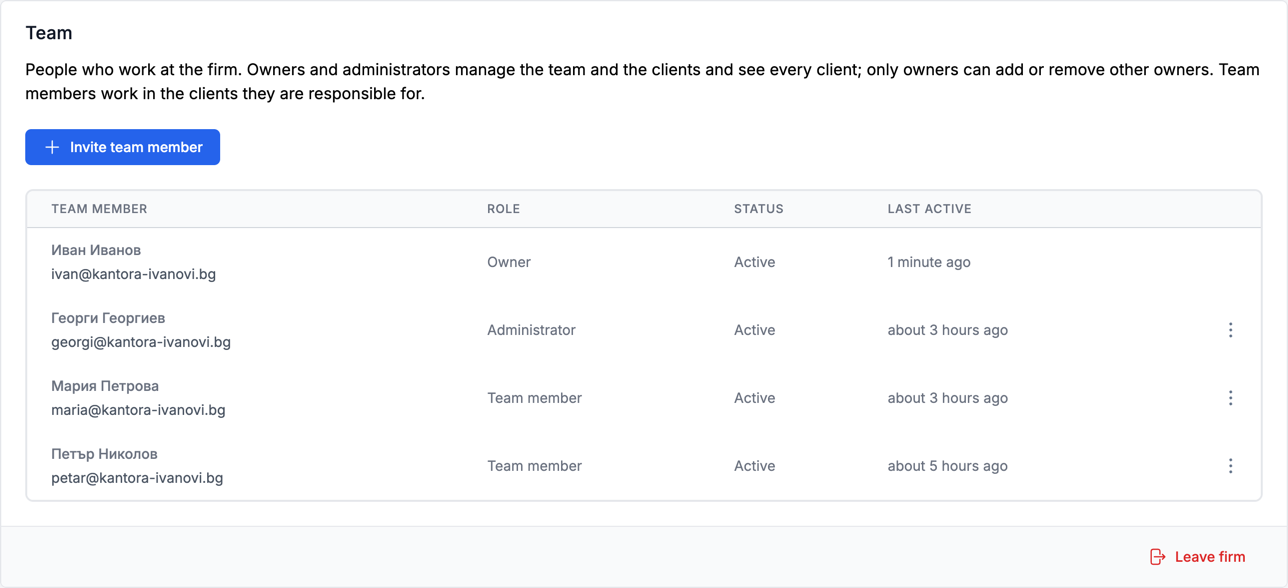
A team with roles and responsible accountants
Invite your colleagues by email as owners, administrators or team members. For each client you choose who is responsible: owners and administrators see every client, team members only the ones they are responsible for.
Everything you need for your small and medium business
Keep track of the status of your business anytime you want with the main functionalities we offer

Revenues
Quickly issue invoices, proformas, credit and debit notes, protocols and cash vouchers
Recurring invoices that are issued and sent automatically on a schedule you define
Translate to Bulgarian and English, as well as choose from a variety of foreign currencies
Dual price display in EUR and BGN at the official exchange rate
Export invoices as PDF files with your logo or send them directly via email




Expenses
Enter all company expenses to keep track of your business's financial health
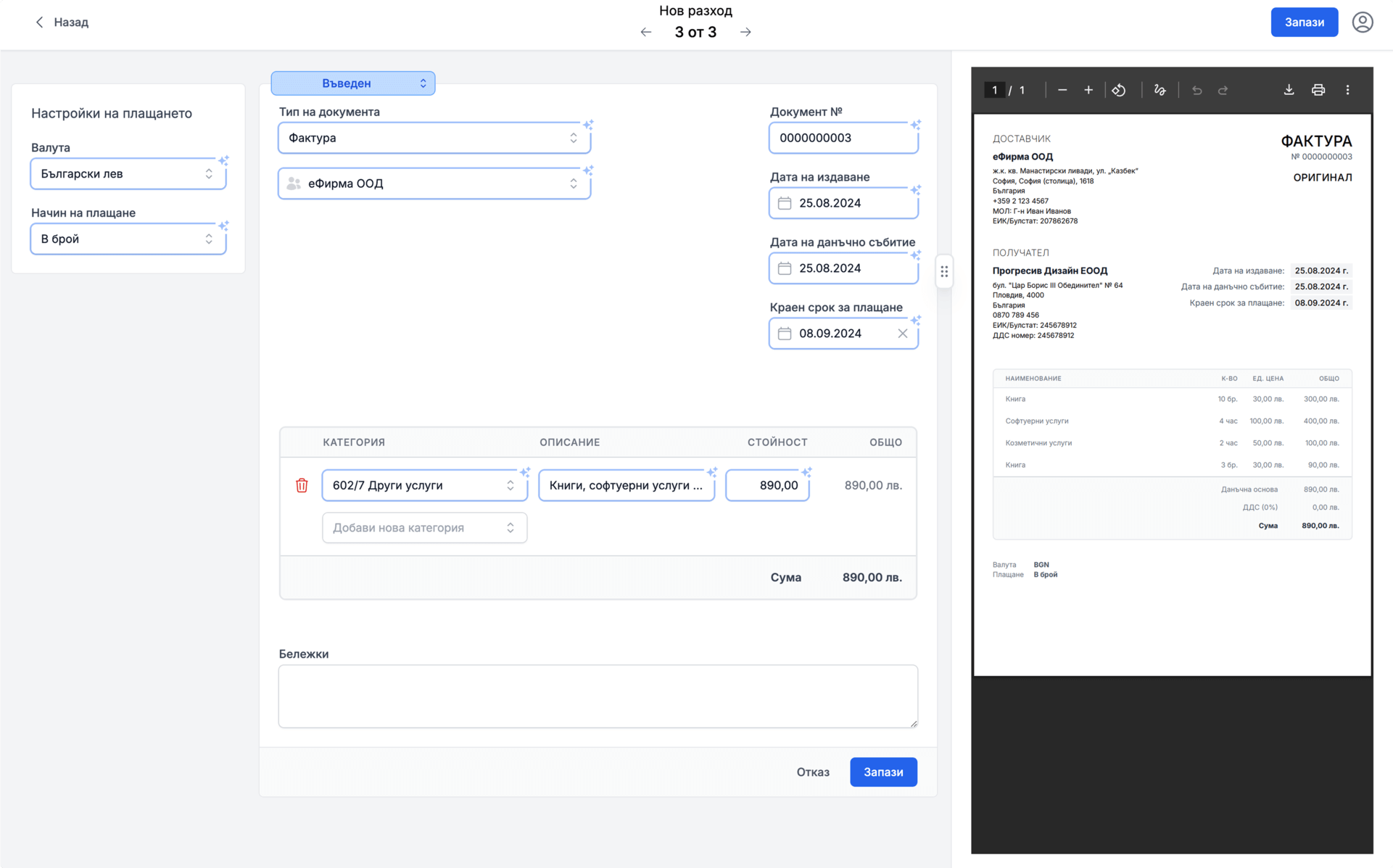
Automatic data extraction from a photo or PDF with eFirma AI
You can categorize and analyze them by type and period
You can also track and change their status, so you know what is paid and what is pending




Charts
Detailed financial insights
Monitor your current financial status through various charts, including revenues, expenses, and assets with the ability to view them by categories and different periods of time
Transparency of your financial result and the ability to analyze the factors that led to it




Contacts
Manage customers and suppliers
Create a detailed list of contacts from which you can choose when issuing a revenue document or entering an expense
Enter a VAT number and the name, address and UIC are filled in automatically via VIES
Contacts are also created automatically from AI-recognized documents





Items
Convenient organization of offered goods and services
Create items that you can easily and quickly use when issuing revenue documents with specific names in English and Bulgarian, unit of measure, and price


Files
Centralized storage of all company documents in one place
Easy access, sharing with your team and accountant, and secure management of uploaded files
Flexible structure and organization tailored to individual needs



Settings
Personalized settings
Customize the application according to your needs and preferences
Define individual categories for revenues and expenses for better data analysis
Ability to enter user roles according to desired access
Enter your logo, bank accounts and company details once and they are filled in automatically in your documents




Meet your AI assistant
Forget manual input and save valuable time and effort - all you need to do is upload a PDF file or a photo of the expense document, and we will take care of the rest.

Step 1
Upload PDF files or photos of your documents - including straight from your phone and in different languages. You can upload hundreds of documents at once, and processing continues in the background even if you close the browser. Duplicates are detected automatically.

Step 2
Review and enter expenses with one click. AI intelligently extracts data for vendor, amounts, dates, and tax information, automatically creates contacts and suggests an accounting account from your chart of accounts.
eFirma on every device
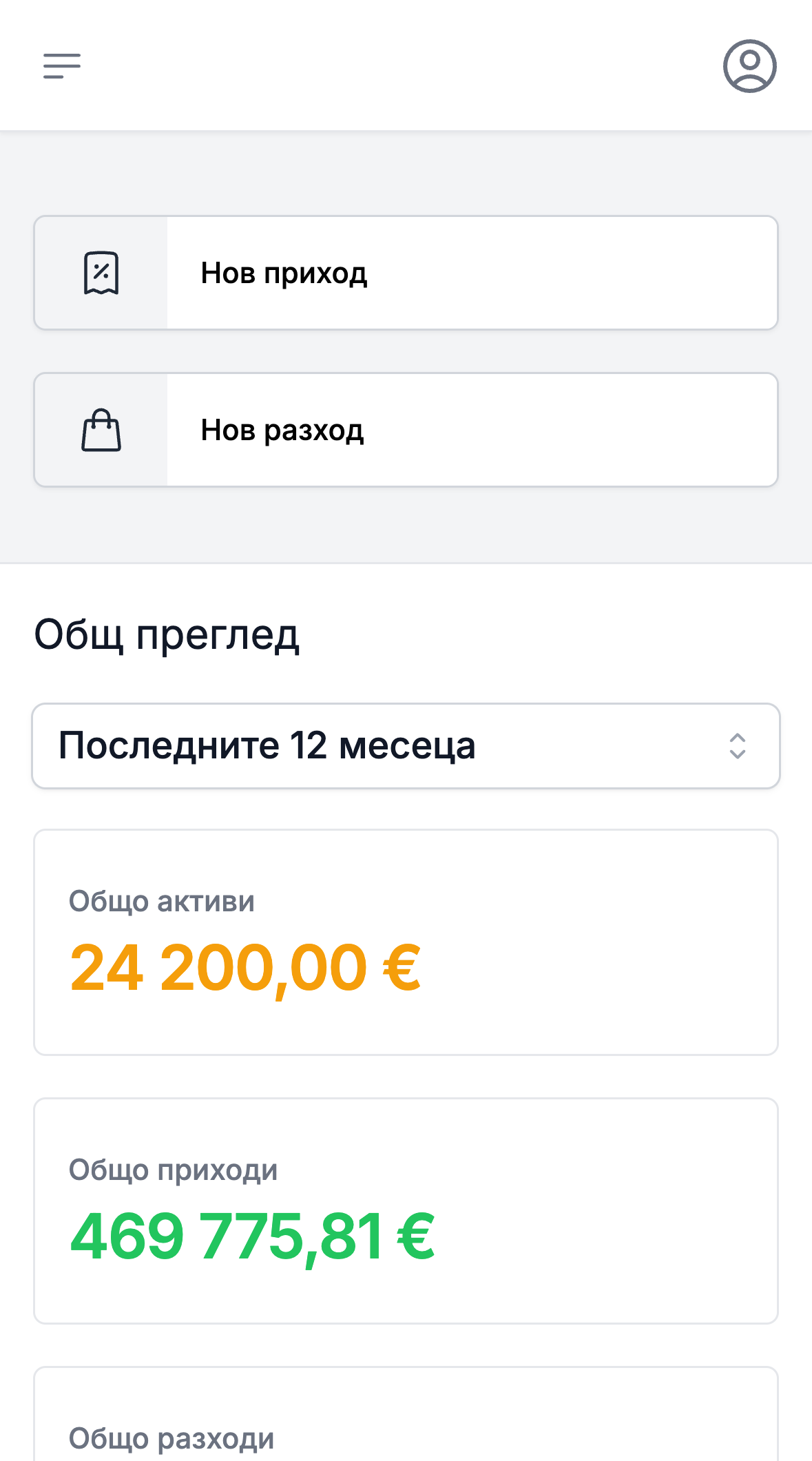
eFirma runs in the browser - on your phone, tablet and computer - with nothing to install. Your data is the same on every screen.
- Issue an invoice on the spot at your client and send it via email right away.
- Check your revenues and expenses in seconds, without opening a laptop.
- Take a photo of the expense document at the moment of purchase and eFirma AI enters it for you.
Our  plans
plans
plansThe free plan has no time limit, and if you are not sure which paid plan is right for you, you can take advantage of our 14-day free trial.
No credit card required.
2 months free with annual plan
- Unlimited invoices
- Unlimited contacts
- Unlimited items
- Export invoices as PDF
- Your logo on your invoices
- Email invoices directly to clients
- Documents in Bulgarian and English
- Work in multiple currencies
- Export your invoices and revenues at any time (CSV, Excel, PDF)
- All features from Free, plus:
- Expense tracking
- Recurring invoices
- eFirma Drive - 10 GB document storage
- eFirma AI - 100 automated document extractions
- All features from Standard, plus:
- Custom team roles
- eFirma Drive - 50 GB document storage
- eFirma AI - 500 automated document extractions
If you run out of AI scans, you can add packs of 200, 500 or 1000 starting at €2.99. Purchased scans never expire.
Common questions
Answers to the questions we hear most often before registration.
What happens after the 14-day trial?
You move to the free plan automatically and owe nothing. Every new company starts with 14 days of the full Pro features, with no card required. If you decide to continue, you add a card and pick a plan; if not, you stay on the free plan and your data is kept.
Is the free plan really free forever?
How do I cancel a paid plan?
What happens to my data if I stop paying?
Does eFirma replace my accountant?
Where is my data and who can see it?
Who answers when I have a problem?
Can I manage several companies with one account?
How does eFirma work for an accounting firm with many clients?
Can I work from my phone?
About Us
Learn more about us, our mission and ambitions
Who are we?
We are motivated young people united by the idea of creating a product that helps small and medium-sized businesses by providing transparency and information to management and at the same time optimizing the interaction process with accounting. In our team we have people with stable accounting experience, which guarantees correct work in terms of legal requirements and knowledge of the needs in the field, while another part of the team takes care of the smooth functioning of the platform and the security of your data.
What are the future plans for eFirma?
How does eFirma make money?
Ready to get started?
Registration is free, and your first invoice takes only a minute to issue.
Start for freeNo credit card required. You can cancel at any time, and your invoices can be exported even on the free plan.
Contact us:
Have a question, a problem or a suggestion? Write to us and we will reply by email.